How to Look Up a VIN Number: Find It, Decode It, and Check It Free
How to Look Up VIN Number in Minutes
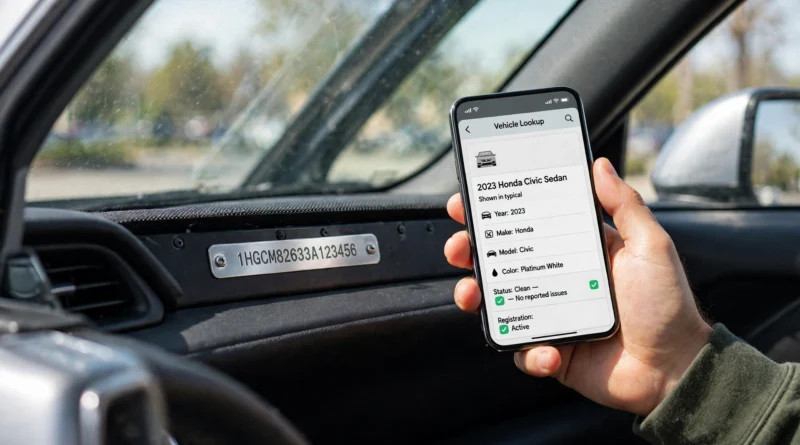
Direct answer: To look up vin number, first find the car’s 17-character Vehicle Identification Number — most easily on the driver’s-side dashboard, visible through the windshield, or on the sticker inside the driver’s door jamb — then enter all 17 characters exactly into a free decoder such as the National Highway Traffic Safety Administration (NHTSA) VIN decoder. In seconds you will see the vehicle’s year, make, model, body style, engine and factory details. A free decode tells you what the car was built as; it does not, on its own, tell you its accident history, ownership history or title status.
If you only need one thing from this guide, it is this: copy the VIN from the car itself, check it against a second location, and only then run it through a decoder. A single mistyped character can return the wrong vehicle or no result at all.
Key Takeaways
- A modern VIN has 17 characters and never uses the letters I, O or Q, so they are not confused with 1 and 0.
- The fastest places to find a VIN are the driver’s-side dashboard (through the windshield) and the driver’s door jamb sticker.
- The same VIN also appears on the title, registration and usually the insurance card.
- NHTSA’s free VIN decoder (vPIC) decodes factory details with no account needed.
- A decoder is not a history report: it cannot confirm accidents, mileage, ownership or title status.
- If the VIN on the car does not match the VIN on the paperwork, stop and ask questions before buying.
What Is a VIN Number?
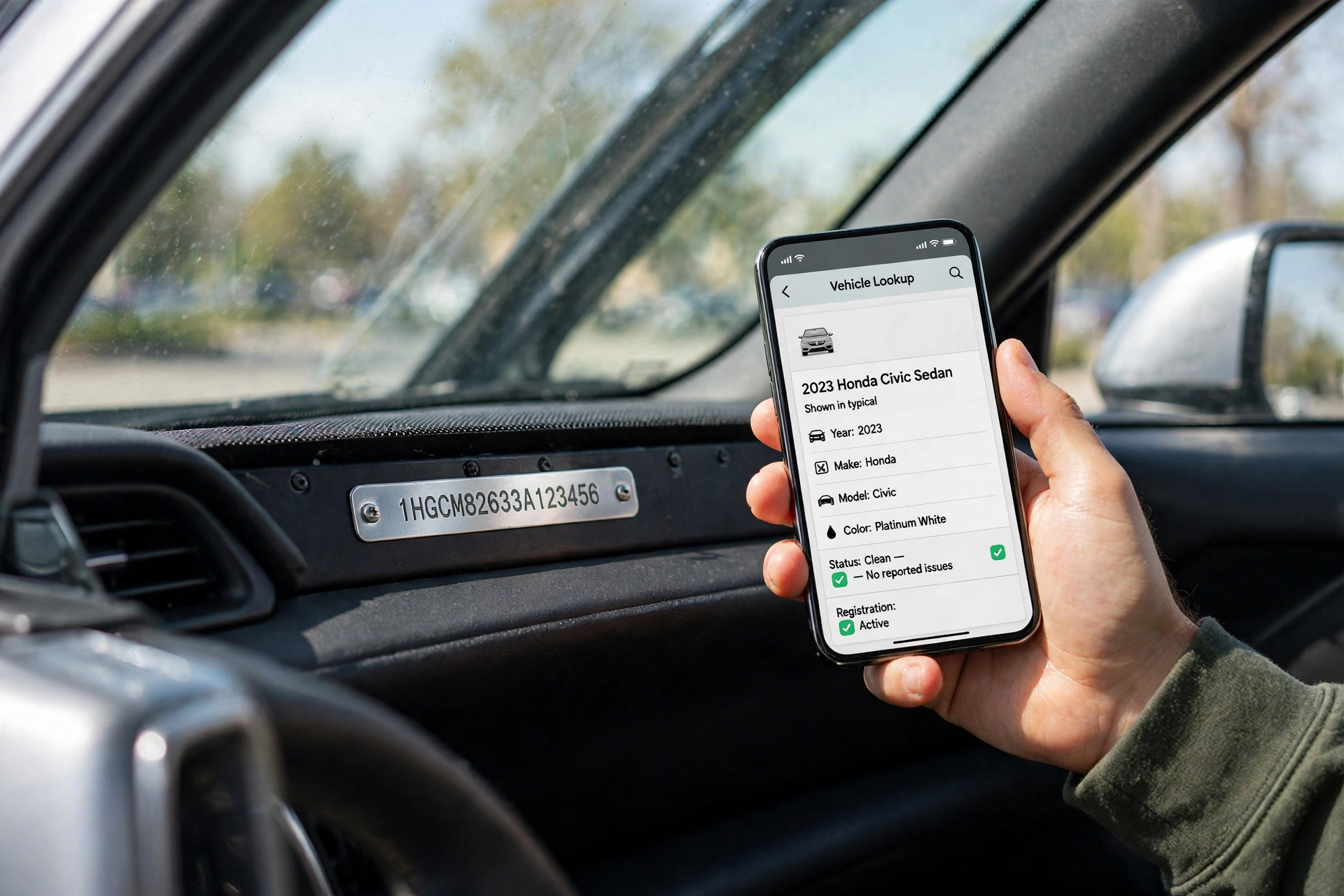
A Vehicle Identification Number, or VIN, is a unique code assigned to a specific vehicle — think of it as the car’s fingerprint. No two vehicles share the same VIN. Since model year 1981, vehicles sold in the United States have carried a standardised 17-character VIN made up of letters and numbers.
That standardisation matters for lookup. Because the format is fixed, a decoder can read the code position by position and translate it into plain English: who built the car, what kind of vehicle it is, which model year it is, where it was assembled, and which unit in the production run it was.
Older vehicles are the exception. Cars built before the 1981 standard may have shorter, manufacturer-specific identification numbers that a modern free decoder may not decode fully. If you are looking up a classic car, expect partial results and rely more on the manufacturer’s own records and documentation.
Where to Find a VIN Number
Where is the VIN located on a car?
Start with the two easiest spots, which cover most cars:
- Driver’s-side dashboard. Stand outside the car on the driver’s side and look through the lower corner of the windshield, where the dashboard meets the glass. You should see a small plate with the VIN printed on it. You do not need to start the car or open anything to read it.
- Driver’s-side door jamb. Open the driver’s door and look at the sticker or plate on the door frame or door edge. It usually sits alongside tyre pressures and weight ratings, so look for the 17-character code labelled VIN rather than copying a tyre size or production date.
If those two do not settle it, check these:
- Under the hood. Some vehicles stamp the VIN into the body in the engine bay, often on the firewall or near the front of the engine compartment.
- The title. The vehicle title lists the VIN.
- The registration. Your state registration document lists the VIN.
- The insurance card or policy. Insurance documents usually show the VIN for the insured vehicle.
- Loan or lease documents and repair records. If you do not have the car to hand, a loan document, lease agreement or repair invoice may carry the VIN.
Where to find a VIN number without the car
You do not need to be near the car to look up vin number: the title, registration, insurance card, loan or lease paperwork and many repair records all list it. Dealer and marketplace listings also commonly publish the VIN — and if a listing does not, asking the seller for it before you travel to see the car is a reasonable, normal request.
How to find a VIN number quickly
In practice, the quickest way to look up vin number is: dashboard first, door jamb second, paperwork third. Read the full 17 characters carefully, including the difference between similar-looking characters — remembering that a real VIN never contains I, O or Q helps you spot a misread (a character you think is an “O” is almost certainly a zero, and a character you think is an “I” is almost certainly a one).
How to Look Up VIN Number, Step by Step
- Find the VIN on the car itself using the dashboard or door jamb, as above.
- Check it against a second location. Compare the dashboard plate with the door sticker or with the title or registration. They should match character for character.
- Copy all 17 characters exactly into a free decoder. The official NHTSA VIN decoder is free and needs no account.
- Read the decoded result — year, make, model, body style, engine, transmission where reported, and plant of assembly.
- Use the result for the job you actually need: confirming what a car is before you buy it, ordering the right parts, or checking recalls (see below).
If the decoder returns an error or no result, the most common cause is a typo. Re-read the VIN from the car, not from a photo or a handwritten note, and try again. Very new models can also lag in the database for a short time after production, so a blank field does not automatically mean the VIN is fake.
How to Decode a VIN: What Each Section Means
You do not need to decode a VIN by hand — that is what the decoder is for — but knowing the sections helps you understand the result and spot an obvious error:
| Characters | Section | What it tells you |
|---|---|---|
| 1-3 | World Manufacturer Identifier (WMI) | Country and manufacturer |
| 4-8 | Vehicle Descriptor Section (VDS) | Body style, engine and model details |
| 9 | Check digit | A security character calculated from the other 16 characters; it catches typos and many altered VINs |
| 10 | Model year | The model year code |
| 11 | Plant | The assembly plant |
| 12-17 | Serial number | The production sequence that makes this exact vehicle unique |
The check digit in position 9 deserves a note: it is not random. It is calculated from the other characters using a formula set by the US Department of Transportation, so a VIN with a wrong check digit is a strong sign of a transcription error — or, more rarely, tampering.
What a Free VIN Lookup Can and Cannot Tell You
What a decoder tells you
When you look up vin number with a free decoder, it confirms the factory identity of the vehicle: year, make, model, body style, engine type, and where it was built, plus safety equipment the car left the factory with where the manufacturer reported it. That is exactly what you need to confirm that the car in front of you is the car the advert describes.
What a decoder does NOT tell you
A decode describes the vehicle; it does not vet its history. On its own, a free decoder does not confirm: accident or damage history; ownership history or number of previous owners; title status (for example, salvage or rebuilt branding); odometer readings or mileage history; service records or current mechanical condition; whether recalls on that exact vehicle have been repaired.
For those questions you need a separate step: a paid vehicle history report, a title and lien check, and — most importantly — an in-person inspection. A decoder is the first check, not the only check.
How to Check Recalls and Safety Information by VIN
Once you look up vin number, you can also use it for safety checks. NHTSA runs a recall lookup where you enter the exact VIN to check for certain unrepaired safety recalls on that vehicle. This is a different job from decoding: decoding tells you what the car is, while a recall lookup tells you whether safety campaigns are outstanding on it.
For a used-car purchase, run both: decode first to confirm identity, then check recalls. Neither step replaces checking the car’s physical condition.
Looking Up a VIN Before Buying a Used Car
The best time to look up vin number is before money changes hands. Use this short checklist:
- Get the VIN from the seller before viewing, if possible, and decode it. Does the decoded year, make and model match the advert?
- At the car, compare three places: dashboard plate, door jamb sticker and title or registration. All three should show the same 17 characters.
- Look for tampering. Scratched, loose or re-stuck labels, fresh rivets, or a stamped number that looks ground down or painted over are serious warning signs.
- Check recalls with the exact VIN.
- Follow up with a history report and inspection if the decode and paperwork check out. A clean decode is not a clean history.
If the VIN on the car does not match the VIN on the paperwork, that mismatch alone is a reason to pause. Plates can be swapped; a VIN cannot legitimately be changed. Walk away from a deal where the seller cannot explain a mismatch, rather than trying to explain it for them.
VIN Number vs License Plate: What’s the Difference?
A VIN and a license plate are not interchangeable. A license plate is assigned to a vehicle for registration and can change — plates are replaced, transferred or reissued. A VIN stays with the vehicle for its whole life and identifies that one specific car, even if it is sold, re-registered or moved to another state.
That is why, when you look up vin number, the result is more reliable than a plate lookup for identifying a vehicle: you are checking the car itself, not its current registration. Conversely, you generally cannot look up a full VIN from a license plate alone through a free public decoder — you need the VIN itself.
Common VIN Lookup Problems
What if I can’t find the VIN?
Work through the list in order: dashboard, door jamb, engine bay stamp, title, registration, insurance card. On some vehicles the plate is easier to read from outside with a change of viewing angle, since reflections on the windshield can make small characters hard to read — do not remove trim or reach into the dashboard to chase it. If no VIN can be found anywhere on the car or its paperwork, treat that as a red flag, especially on a used-car purchase.
What if the VIN is shorter than 17 characters?
The vehicle may predate the 1981 standard, or you may be looking at a different number — an engine serial number or equipment PIN is not a VIN. Check the dashboard and door jamb again, and check the title, which should list the full identifier for that vehicle.
Can I find the owner of a car from its VIN?
No — not through a free public decoder. VIN decoders return vehicle specifications, not personal information about the owner. That privacy limit is by design: a VIN identifies the car, not the person who owns it.
Is a free VIN lookup safe?
To look up vin number safely, enter the VIN into the official NHTSA decoder or another reputable decoder — dealers, insurers, parts suppliers and buyers do it routinely. Avoid services that demand payment or personal details just to decode a VIN, when the same factory information is available free from NHTSA.
VIN Lookup Checklist
- Found the VIN on the car (dashboard or door jamb)
- Matched it against a second location or the paperwork
- Entered all 17 characters exactly, with no I, O or Q
- Decoded it free and confirmed year, make and model match the advert
- Checked recalls by VIN
- Followed up with a history report and inspection before buying
Conclusion
Looking up vin number is a two-minute job once you know where to look: dashboard or door jamb, matched against the paperwork, then run through a free decoder. That simple sequence confirms what a car really is, catches advert errors and paperwork mismatches early, and gives you the exact identifier you need for recall checks and parts. For anything about the car’s past — accidents, title, mileage or ownership — treat the decode as the starting point and add a history report and an inspection before you buy.
For more hands-on car checks, see our guides on how to check oil in your car and what to do when your car won’t start.
If you are shopping for a used car, our guide to the best used cars to buy shows how to use this VIN check alongside title, recall, and inspection checks before you pay.